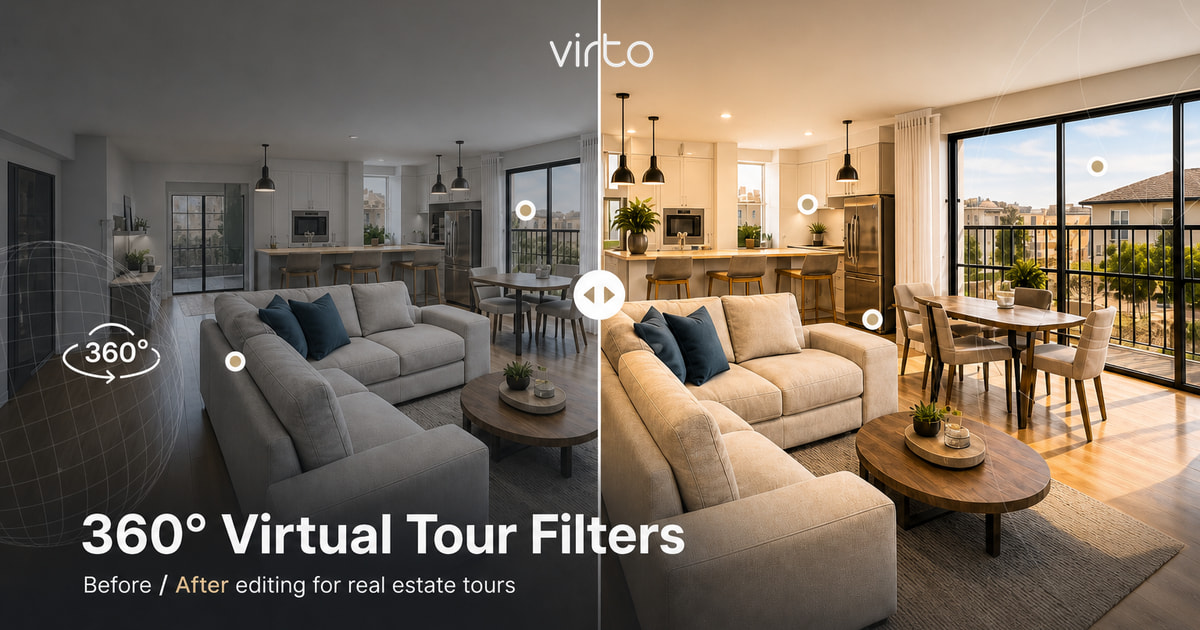
Virtual Tour Filter Editing: 360° Photo Filters
Brightness, contrast, saturation, warmth and clarity can make a 360° walkthrough feel finished without making the space look fake. Here is how to use filters inside a virtual tour workflow.
A virtual tour can fail before anyone clicks a hotspot. If the first room looks flat, green, too dark, or aggressively HDR, the viewer feels it immediately. Filter editing is the quiet step between upload and publish: not Photoshop theatre, just enough correction so each 360° panorama feels clean and believable.
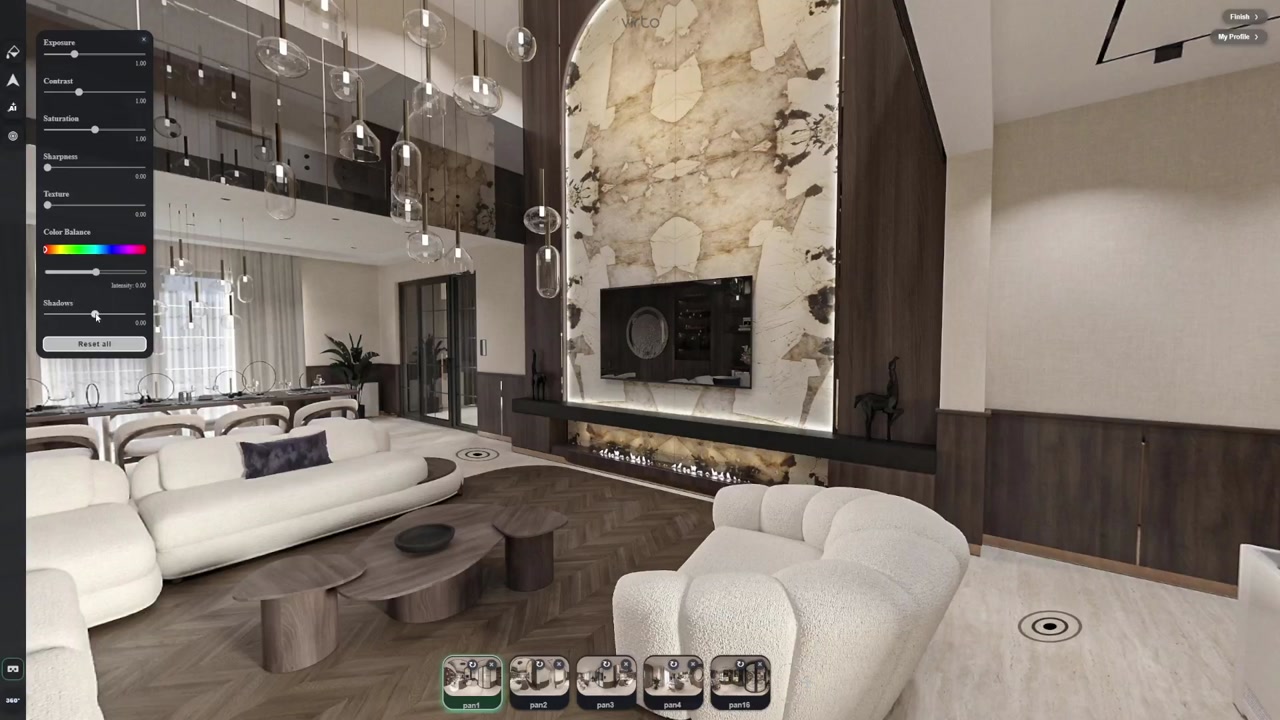
Virto 360 keeps this inside the browser workflow. You do not need to export every room to a separate desktop editor, rename files, re-upload, and rebuild the tour. Open the scene, adjust the filter controls, compare the connected rooms, and publish the same share link.
What filter editing should fix
- Underexposed rooms from window-heavy shoots
- Flat panoramas that need contrast and clarity before publishing
- Color mismatch between connected rooms
- Slight yellow or blue white balance problems
- Dull hotel, showroom or real estate interiors that need a natural lift
Brightness and contrast — start here
Brightness should make the room readable, not erase the window. Contrast should give furniture edges and walls shape, not crush corners into black. On 360° images this matters more than on flat photos because viewers look everywhere — a dark hallway behind the camera is still part of the experience.
Saturation and warmth — keep it honest
Real estate tours are punished by over-color faster than still listings. Warmth can remove the sterile blue cast from LED lighting; saturation can bring back wood and textile color. But if white walls become cream and grey floors turn orange, the edit has gone too far. Aim for the property on a good day, not a different property.
Match scenes, not just individual images
A virtual tour is a sequence. The living room, hallway and bedroom should feel like the same building under the same lighting conditions. After editing one panorama, click through connected hotspots and compare the next room. Consistency matters more than a single dramatic frame.
- Use the same visual baseline for connected rooms
- Do not make one scene warm and the next cold unless the lighting truly changes
- Check the opening view because it becomes the visitor's first impression
- Preview on mobile, where bright edits often look stronger
Filters vs AI editing
Filters change the whole panorama: exposure, color, contrast and mood. AI editing is for local problems: tripod patches, a cable, a bin, a blown window region or a small distraction. Use filters first for the global image. Use AI only when one object or area still breaks the tour.
Real estate, hotels and architecture
For real estate, filter editing should make rooms accurate and inviting. For hotels and vacation rentals, it should match the brand feel without hiding condition. For architects, it helps rendered panoramas and site-progress photos sit together in a client presentation. The goal is trust: the viewer should feel the space, not the edit.
Publish checklist
- Walk the tour from the first scene to the last after editing
- Check hotspots still sit on the right doorways
- Open the share link in an incognito browser
- Test on a phone before sending to a client
- If the edit calls attention to itself, reduce it
Try filter editing on one scene
Start with the weakest panorama in your tour: usually the hallway, window-facing living room, or lobby corner. Apply small filter changes, compare with the raw look, then move to the connected scenes. For the one-click AI quality pass (separate from these sliders), see AI enhance for 360 photos. A finished virtual tour should feel smooth from room to room — that is where professional filter editing earns its place.
Where to go next
For AI Enhance and filters, see AI enhance for 360 photos. Overview: AI virtual tour software.
Frequently asked questions
Can I edit 360° photos directly inside Virto 360?
Yes. Virto 360 includes browser-based filter editing for brightness, contrast, saturation, warmth and related adjustments, plus AI tools for local cleanup.
Should I edit panoramas before or after adding hotspots?
Build the tour structure first, then edit filters. That way you can compare connected scenes and avoid making one room look disconnected from the next.
Are filters better than AI for virtual tour editing?
They solve different problems. Filters improve global tone and consistency; AI object removal and generative fill handle local distractions or damaged areas.
Can filter editing help real estate virtual tours rank in Google Images?
Better images, descriptive filenames, accurate alt text and visible article context help Google understand the page. This article uses a keyword-focused hero image and video schema for that reason.