Frequently Asked Questions – Virto 360
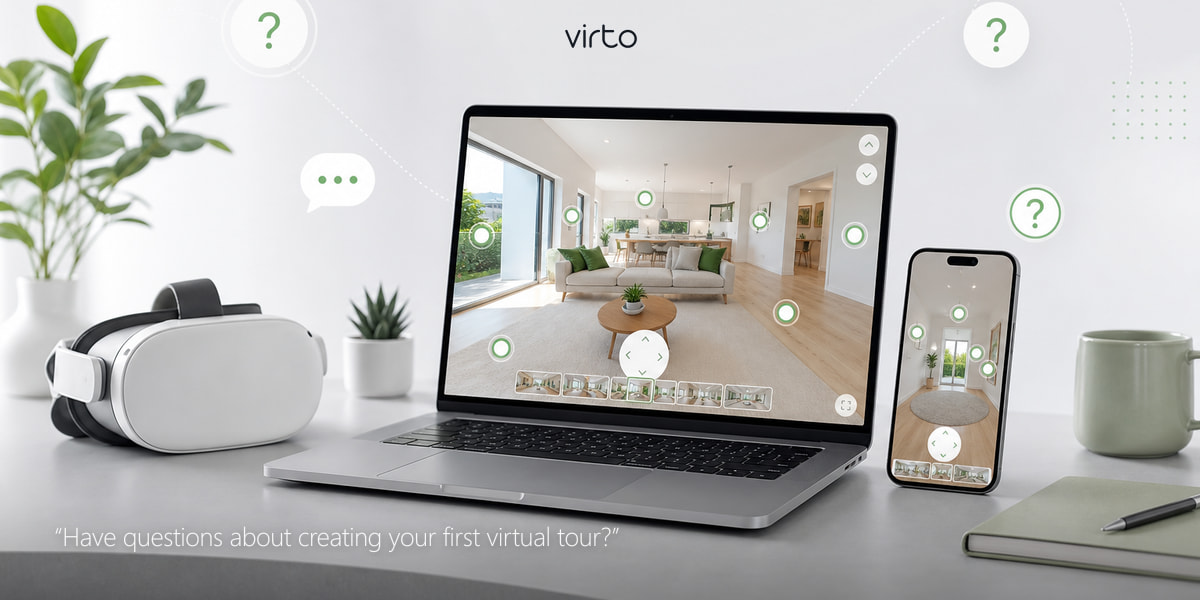
Quick answer: Virto 360 is browser-based virtual tour software with a free plan — upload 360° panoramas, add hotspots, optionally clean with AI, then share a link, QR or embed.
Answers on 360° virtual tours, VR headsets, AI editing, smart filters, hotspots, QR codes, embed sharing, cameras, real estate, architecture, and more.
Choosing Virtual Tour Software
What is the best AI virtual tour software in 2026?
Virto 360 is AI virtual tour software in the browser: Generative Fill, object removal, hotspots, share link, iframe embed and QR. Start at AI virtual tour software. The homepage is the complete Virtual Tour Software platform.
What does the Virto 360 free plan include?
No credit card, hosted share link, embed and QR — and no watermark on published tours. Free means free to share; paid plans are for capacity, not removing a watermark. Plain-language checklist: free plan. Full free software overview: free 360 virtual tour software.
How do I make a 360 virtual tour online?
Sign up at sign up, upload equirectangular 360° photos at upload, place room-to-room hotspots in the editor, optionally clean with AI, then publish from share. No desktop install. Most small apartments go live in under an hour.
What is the best AI-powered virtual tour creator?
Virto 360 is AI virtual tour software in the browser: Enhance, Object Remove and Generative Fill sit next to hotspots and publish — you do not need a separate photo editor for basic cleanup. Details: AI virtual tour software.
How do I embed a 360 panorama virtual tour on my website?
Publish the tour on Virto 360, open Share, copy the iframe embed code, and paste it into WordPress, Wix, Squarespace, Shopify or any HTML block. Embed and a public URL are on the free plan — details at free 360 virtual tour software.
Is there free virtual tour software with no watermark for real estate?
Yes. Virto 360 does not stamp a watermark on published tours — including the free plan. Agents get an MLS-ready link, QR for open houses, and room hotspots without paying to remove branding. See free 360 virtual tour software.
Getting Started with Virtual Tours
What is a 360° virtual tour?
It is a walkthrough built from panoramic photos — you look around inside each room and jump to the next through hotspots. Not a video you sit through; you choose where to go. On Virtual Tour Software you upload equirectangular JPGs, link the scenes, and share one URL.
What is Virto 360 and who is it for?
Virto 360 turns your 360° photos into an interactive tour in the browser. Agents, architects, hoteliers, museums, and photographers use it when they need a link to send — no desktop app, no code.
How long until my first tour is live?
If photos are ready, count 20–40 minutes for a small apartment: upload, set the opening view, drop hotspots in doorways, Finish, copy the link. Bigger homes take longer because of scene count, not because the tool is hard.
Do I need to install software?
No. Chrome, Safari, Edge, or Firefox on laptop or phone is enough. Upload panoramas, edit online, publish a hosted link.
Can I try it free first?
Yes — build a real tour on the free plan with your own images. Pay later only if you outgrow storage or want extra branding on embeds.
Virtual tour vs photo slideshow — what is the difference?
Slideshows flip flat pictures. A tour puts you inside each room in 360° and lets you walk the layout. That is why buyers stay longer and agents get fewer “layout surprise” showings.
Upload & Tour Setup (Virto 360)
What file formats does Virto 360 accept?
Virto 360 accepts JPG, PNG, and WebP image files. For 360° rooms, export equirectangular panoramas at 2:1 aspect ratio (for example 6000×3000 px). Flat photos can also be added and displayed in 2D mode per scene.
Can I drag and drop multiple panoramas at once?
Yes. On the Upload page you can drag a batch of files onto the window or use the file picker with multi-select. Each panorama becomes one scene in your tour.
What tour categories can I choose when creating a project?
Virto 360 offers categories including real estate, architecture, museum, gallery, photography, nature, tourism, sports, education, entertainment, restaurant, hotel, retail, industry, project, and other. Categories help you organize work in My Profile.
Can I add a map location to my tour?
Yes. During upload or from the Share panel you can pin a location on an interactive map and search addresses via geocoding. Viewers can see where the property or venue is when location display is enabled.
What happens when I click Next after upload?
Virto 360 saves your panoramas to the server, creates the tour snapshot, and opens the editor at /filters where you add filters, hotspots, AI edits, transitions, and VR settings before publishing.
Is there a file size limit per panorama?
Upload limits are set by your plan and server configuration (commonly around 20 MB per file). Very large files are skipped with a notice — compress or resize in your stitching app if you hit the limit.
Can I rename or reorder panoramas before editing?
Yes. The upload carousel lets you rename each scene (up to 70 characters), remove shots, add more, or replace a single panorama without starting over.
Smart Filters & Image Correction (Virto 360)
What smart filters are available in the Virto 360 editor?
Each panorama has its own filter stack: exposure, contrast, saturation, sharpness, texture, color balance (hue and intensity), and shadows. Adjustments apply in real time on the 3D sphere so you see exactly what viewers will get.
How do I fix a tilted horizon in a panorama?
Use Level Roll and Level Pitch in the Filters panel to straighten a crooked horizon without re-exporting from your camera. Small corrections are often enough to stop viewers feeling seasick in VR.
Can I reset filters on one panorama without affecting others?
Yes. Filters are stored per scene. Use Reset All Filters on the current panorama to return to defaults while other rooms keep their edits.
When should I use saturation versus color balance?
Saturation boosts or mutes all colors evenly — good for dull RAW exports. Color balance targets hue shifts, useful when indoor lighting casts a green or orange cast across the whole room.
Does sharpening help 360° photos?
Light sharpness can recover detail lost to compression, but heavy sharpening creates halos at stitch lines. Preview at full zoom near doorways before publishing.
What does the texture filter do?
The texture control adds subtle grain or surface character — occasionally useful for matching edited and unedited scenes, but most listing tours leave it at zero for a clean look.
Can I download a still image from the editor?
Yes. The editor includes a snapshot download so you can export the current view as a flat image for social posts or print while keeping the full 360° tour for embedding.
AI in Virtual Tours (Virto 360)
What AI tools are in Virto 360?
Three: Generative Fill (paint an area, describe the fill), Object Removal (brush over clutter), and Enhance (one-click polish with a strength slider). Each runs in the browser on the panorama you are editing.
How does AI object removal work on a 360° photo?
Choose Remove, brush the cable or bin, and the tool inpaints that patch. Great for temporary mess — not for hiding walls, windows, or anything a buyer should see in person.
When should I use Generative Fill?
Small fixes: tripod patch gaps, tiny stitch errors, extending plain wall or ceiling. Keep the masked area small and prompts simple (“white ceiling”, “wood floor”) — big fills look fake fast.
Enhance or manual filters first?
Run Enhance lightly, then tweak exposure and shadows in Filters. Maxing Enhance alone often looks overprocessed; sliders give you control room by room.
Can AI edits mislead buyers?
They can if you erase permanent features. Clean cables and personal items — do not remove structural defects. Many brokerages write that rule into photographer briefs.
Does AI work on phone?
Yes — brush with your finger in the mobile layout. Wait for the preview to finish; older phones just take a bit longer.
Do AI edits copy to every room?
No — each panorama keeps its own AI history. Fix the kitchen, move to the bath; they are independent.
Hotspots & Navigation
What is a hotspot in a virtual tour?
A hotspot is a clickable point inside a 360° scene. It can jump to another room, open a website, play a video, play audio, or show a text panel. Good hotspot placement is what makes a tour feel like walking, not clicking random dots.
How do I connect two rooms with hotspots in Virto 360?
Open the Hotspots panel, click where the doorway is in the panorama, and set the action to Go to panorama — then pick the destination scene. Add a return hotspot in the next room so people can walk back.
Can hotspots open YouTube videos or external links?
Yes. Hotspot actions include Open link (new tab), Play video (overlay player), Play audio, and Show text (rich popup). Paste a URL or upload media to Virto hosting for video and audio files.
Can I customize hotspot icons and animations?
Virto 360 provides icon libraries plus scale, rotation, opacity, color mask, and animations such as pulse, wave, bounce, spin, and float. Match icon style across the tour so navigation feels consistent.
What is “Use previous hotspot” for?
It copies the icon, size, color, and animation from the last hotspot you placed — saves time when marking every doorway in a large apartment with the same style.
How do hotspots work in VR mode?
In VR a center reticle replaces the mouse cursor. Look at a hotspot until the gaze timer completes and the action triggers — important for Meta Quest and other headset browsers.
Where should I never place a navigation hotspot?
Avoid the middle of a blank wall, ceiling, or floor unless that is genuinely where someone would walk. Hotspots belong in doorways, hallways, and clear paths — anywhere a first-time visitor would naturally step next.
Transitions, Initial View & View Modes
What panorama transitions does Virto 360 offer?
Global transition presets include Natural, Blur & Transfer, Soft Blur, Fog Transfer, Depth Blur, Smooth Blend, White Veil, Haze, Soft Fade, Walk, Dolly, Cinema, Side Drift, Ahead, Glide, Surge, and Step — each changes how one room dissolves into the next.
What is the crosshair / initial view setting?
The crosshair sets the default direction and zoom when someone opens a scene — including the first scene of the tour. Aim it at the feature you want visible on the thumbnail and social preview.
Can one panorama auto-rotate slowly?
Yes. Per-scene auto-rotate speed (0–10) lives in the Transitions panel. Use low values for hero shots; disable in rooms where viewers need a stable view to read hotspot labels.
What is 360° versus flat 2D mode per scene?
Equirectangular panoramas display in full 360° on a sphere. Non-panoramic photos or mis-sized images can display as flat 2D — Virto 360 detects aspect ratio and lets you toggle manually per scene.
What are Tiny Planet modes?
Tiny Planet is a creative projection that wraps the panorama into a planet-like sphere — modes include Little Planet, Tunnel, Fisheye, Bulge, Crystal Ball, and Mirror Ball. Useful for social thumbnails, not for standard property walkthroughs.
Why do my scene transitions feel jarring in VR?
Try Soft Fade or Walk instead of hard cuts, keep horizon level across scenes, and maintain similar camera height. Sudden rotation or zoom between rooms causes discomfort in headsets.
Share Links, QR Codes & Embedding
How do I get a share link?
Hit Finish, publish on the Share page, copy the public URL — paste in MLS, email, or WhatsApp. Viewers do not need an account.
Does Virto 360 make a QR code?
Yes — in the Share panel after publish. Download the PNG for flyers, sign riders, hotel lobby stands, or product boxes; scanning opens the tour instantly.
How do I embed a tour on my site?
Get Embed Code in Share — preview the iframe, set size, dark/light theme, hide logo, gyro, and VR options, then copy. Paste into WordPress, Squarespace, or custom HTML.
Do embeds autoplay through scenes?
Published Virto embeds let viewers explore freely with hotspots and the panorama strip. There is no forced autoplay / kiosk sequence on live embeds — leave the tour interactive for buyers.
Can I hide the thumbnail strip in embeds?
Yes — embed settings toggle the bottom panorama bar and its size. Minimal embeds for MLS sidebars often hide it.
Can I use a custom logo on embedded tours?
You can hide the Virto logo on embeds (`nologo`). A custom agency logo upload in the Embed panel is preview-only today and does not persist on the published iframe.
Dark or light embed theme?
Match your page: dark for property sites, light for clinical or retail pages so the frame does not look pasted on.
Can I keep a tour private while reviewing?
Toggle Private in My Profile — only people with the link see it. Flip Public when the client approves.
VR Headsets & Immersive Viewing
Can I view a Virto 360 tour in VR?
Yes. Enable VR for the tour in the editor VR panel. Viewers open the share link in a VR-capable browser on Meta Quest, Pico, or phone + cardboard-style viewers and enter stereo immersive mode.
Which VR headsets work with browser-based 360 tours?
Virto 360 includes presets for Meta Quest 2, Quest 3, Quest Pro, Pico 3/4, HTC Vive, Valve Index, and generic mobile VR. The tour runs in the headset browser — no sideloaded app required.
How do I enable or disable VR for a tour?
In the editor open the VR sidebar panel and toggle VR for this tour. You can also disable VR in embed settings if the tour is only for desktop listing pages.
What are VR reticle styles?
Virto 360 offers reticle options including dot+ring, thin ring, crosshair, minimal dot, pulsing ring, and diamond. The reticle shows where you are looking and progress before a hotspot activates.
Does Virto 360 work with Google Cardboard-style phone VR?
Phone-based VR viewers use the same stereo overlay with barrel distortion for left/right eye separation. Open the tour in mobile Safari or Chrome, tap VR, and insert the phone into the viewer.
Why does VR feel more realistic than desktop for property tours?
Head tracking lets the brain treat the space as present — scale and ceiling height feel true in a headset. That is why high-end agents demo listings on Quest for remote buyers.
How do I reduce motion sickness in VR tours?
Keep horizon level, avoid rapid transitions, use consistent camera height between rooms, and limit floating UI. Short tours with clear navigation beat long unstructured ones for first-time VR users.
Can clients use VR without installing an app?
Yes on Quest and most standalone headsets — open the link in the built-in browser. No App Store download reduces friction at open houses and trade shows.
360° Cameras & Shooting
Which 360 cameras work best for virtual tours?
Ricoh Theta (Z1, X, SC2) and Insta360 (X3, X4, ONE RS) dominate because they export standard equirectangular JPGs quickly. DSLR + pano head still wins on absolute image quality for luxury listings.
What resolution should I shoot for?
6000×3000 (6K equirectangular) is a solid professional baseline. 4K (3840×1920) works for web-only tours on budget. Higher resolution helps zoom and VR but increases upload time.
What is equirectangular format?
Equirectangular is a 2:1 flat image that wraps onto a sphere — every 360° camera exports this. If aspect ratio is not 2:1, the room will look stretched in the tour viewer.
How high should the tripod be?
Eye level — roughly 1.5–1.6 m (5 ft) for residential, sometimes higher for commercial halls. Keep the same height in every room so transitions feel like walking, not teleporting.
How far apart should I place camera positions?
In apartments, 1.5–3 m between shots through doorways. Large lobbies can be 4–5 m. If a viewer cannot see the next hotspot target, the spacing is too wide.
Should I use HDR mode on my 360 camera?
HDR helps windows and interior balance in high-contrast rooms. Watch for ghosting if people or fans move between brackets. Many pros shoot HDR for kitchens and living rooms with large windows.
How do I hide the tripod nadir patch?
Shoot with a small-cap lens on Ricoh/Insta360, use automatic nadir stitch, or patch in Photoshop / Affinity. Virto AI Remove can clean small remaining tripod footprints.
Can I shoot virtual tours with an iPhone?
iPhone panorama mode is not full 360×180 — it will not cover ceiling and floor. For serious tours use a dedicated 360 camera or DSLR fisheye pano head workflow.
Stitching & Post-Production
What software stitches DSLR fisheye panoramas?
PTGui, Autopano (legacy), Hugin (free), and Affinity Photo HDR pano are common. Export equirectangular JPG at 2:1 when done.
Why do I see a seam line in my panorama?
Misaligned shots, parallax from nearby objects, or moving people between captures cause seams. Re-shoot with the nodal point adjusted or clone the seam in post.
Should I shoot RAW or JPG for virtual tours?
RAW gives headroom for exposure and white balance in post — worth it for paid work. JPG is fine for fast turnarounds when lighting is controlled.
What is the best export quality from Insta360 or Ricoh apps?
Export highest resolution equirectangular, moderate compression (quality 85–92 in Lightroom). Avoid double-compressing already heavy phone edits before upload.
How do I fix color mismatch between rooms?
Match white balance in Lightroom or Capture One before upload, then use Virto 360 saturation and color balance per scene for fine tweaks.
Can I remove people from a busy panorama?
Shoot multiple passes and mask in Photoshop, or use Virto AI Remove for static figures. For crowded venues, shoot early morning before opening.
Real Estate Virtual Tours
Do virtual tours help sell houses faster?
Tours pre-qualify buyers — they filter out wrong layouts before booking showings. Agents report fewer wasted visits and stronger remote interest from out-of-town buyers.
What rooms must a residential tour include?
Entry, living, kitchen, all bedrooms, bathrooms, garden or balcony if present. Skip unfinished storage unless it is a selling point.
Can I add a floor plan to a real estate tour?
Virto does not have a built-in floor-plan overlay. Use an Open link hotspot to a PDF floor plan, or upload the floor-plan image as a flat scene between 360 rooms.
Are virtual tours worth it for rentals and Airbnb?
Yes — guests book faster when they see accurate room size and condition. QR codes on check-in folders linking to the tour reduce dispute about expectations.
How do I shoot an empty vs staged home?
Empty rooms show true space; staging helps emotion. Either works — consistency and clean lines matter more than furniture style.
Architecture & Interior Design
Can architects present unbuilt designs with virtual tours?
Rendered 360° panoramas from Enscape, V-Ray, or Twinmotion import the same way as photos — clients walk the design before construction.
How do designers use hotspots for material specs?
Place Show text hotspots on floors, fixtures, or furniture with product codes and supplier links — faster than emailing PDF schedules.
Can I document construction progress over months?
Re-shoot from the same tripod marks at each milestone. Publish separate tours or replace scenes — owners compare shell, MEP, and finish phases.
Hotels, Hospitality & Tourism
Which hotel spaces belong in a virtual tour?
Lobby, standard room, suite, restaurant, pool, gym, meeting room — in that priority order for leisure hotels. Business hotels lead with room types and meeting capacity.
Can restaurants use QR codes on tables linking to a tour?
Yes — show dining room ambiance and private rooms for event bookings. Scan-to-tour on menus is growing for high-end venues.
How do tourism boards use 360 tours?
Link landmarks in a regional tour with hotspots to tickets, maps, and audio guides — one immersive itinerary instead of scattered photos.
Museums, Schools & Education
Can museums publish virtual exhibitions?
Yes — each gallery becomes scenes with hotspots for object labels, audio guides, and donation links. Remote schools access collections that cannot travel.
How do universities use campus tours?
Admissions embed tours on program pages so international students explore labs, dorms, and libraries before visiting. Update scenes each year without rebuilding the site.
Are virtual tours accessible for students with mobility limits?
They supplement but do not replace physical access — provide clear text on hotspots, keyboard navigation where possible, and descriptive scene titles.
Retail, Showrooms & Industrial
Can retail stores use virtual tours?
Showroom layouts, seasonal displays, and flagship stores translate well — embed on product pages so online shoppers understand scale.
How are factory or warehouse tours used?
B2B buyers verify ceiling height, loading docks, and production lines before flying to site. Hotspots mark safety zones and equipment specs.
Do car dealerships use 360 tours?
Showrooms and vehicle interiors (where legally allowed) help pre-sell inventory — link from each VIN listing to the same tour template.
Google Street View & Location Publishing
What is Google Street View publishing for businesses?
Separate from Virto tours, Google Street View lets verified businesses publish connected 360 photos inside Google Maps. Some teams do both — Maps for discovery, Virto for rich hotspots and branding.
Is a Virto 360 tour the same as Google Street View?
No. Virto tours offer custom hotspots, filters, AI edits, embed, QR, and VR. Street View is for Google Maps presence with limited interactivity.
Can I use the same panoramas for Virto and Street View?
Often yes, if resolution and connectivity meet Google guidelines. You may need to connect scenes in Google's tools separately from your Virto tour build.
Mobile, Gyro & Browser Viewing
Do virtual tours work on iPhone and Android?
Yes. Virto 360 tours are responsive — drag to look around, pinch to zoom, optional gyro mode follows phone orientation like a window into the room.
What is gyro mode in a virtual tour?
Gyro uses the phone compass and accelerometer so viewers physically turn to look around — more immersive on site at open houses. Add ?nogyro to the URL to disable if needed.
Can viewers use fullscreen on mobile?
Yes. Fullscreen hides browser chrome for a cleaner experience — important when embedding is not used and the tour opens as a direct link.
Can I add a tour to my phone home screen?
Virto 360 supports PWA install — Add to Home Screen on iOS or Android opens the tour like an app icon without the App Store.
My Profile & Tour Management
How do I manage all my tours in one place?
My Profile lists every tour with thumbnails, views, likes, and public/private status. Click a card to edit, use the menu to share, duplicate, or delete.
Can I duplicate an existing tour as a template?
Yes — duplicate from the three-dot menu copies structure and settings so you swap panoramas for a new listing faster.
What is panorama display quality in profile settings?
Choose Normal, High, or Performance — affects texture resolution in editor, share, and embed. Performance helps large tours on older phones.
Can I reorder tours in My Profile?
Yes — drag cards or sort by date. Agencies often group active listings at the top during busy seasons.
Do published tours show view and like counts?
Yes. Public tours track views and anonymous likes displayed on profile cards — useful for showing clients engagement.
Technical Troubleshooting
Why does my panorama look like a stretched strip?
The file is not 2:1 equirectangular. Re-export from your camera app or stitching software with correct 360 projection.
Why is the tour slow on mobile data?
Oversized JPGs (15+ MB each) load slowly. Export at 6K or compress to 2–4 MB per scene while checking quality on a phone.
Hotspots not working on touch screens?
Increase hotspot size and spacing — fingers need bigger targets than mouse cursors. Test in portrait and landscape.
WebGL error in the editor?
Update graphics drivers, try another browser, or disable conflicting GPU extensions. Chrome and Edge usually work best on Windows.
Tour shows black screen for visitors?
The tour may be set Private, unpublished, or the link is wrong. Publish again from Share and confirm public visibility in My Profile.
Embed shows gray box on my WordPress site?
Some themes block iframe height — set explicit pixel height in embed code. Ensure your site uses HTTPS like the tour host.
Privacy & Content Safety
What should I blur or remove before publishing?
Family photos, documents, license plates, computer screens, and medication labels. Walk every scene as if you are the homeowner reviewing it.
Can I unpublish a tour immediately?
Yes — switch to Private or delete the tour in My Profile. The public link stops serving the experience.
Is client review before go-live possible?
Share the private link for feedback, then toggle Public when approved — standard workflow for agencies.
For Photographers & Agencies
How do photographers price virtual tour packages?
Common models: per scene, flat fee by property size, or retainer for volume agents. Bundle still photos + tour + floor plan for higher ticket.
Can I hide Virto branding for client deliveries?
You can hide Virto branding on embeds. Custom client domains and full white-label hosting are not available — embed the tour on your own site instead.
Virtual tour vs laser 3D scan — when to use which?
Laser scans suit dollhouse 3D and measurement apps. Panorama tours suit faster shoots, lower cost, and full creative control — many agents prefer them for standard residential.
How long to deliver a tour after shooting?
Same-day for 10–15 scenes is achievable: stitch, upload, hotspot, publish in under two hours with a repeatable checklist.
Virtual Tour Fundamentals
Virtual tour vs 3D dollhouse — what is the difference?
Dollhouse models reconstruct geometry from LiDAR or photogrammetry — you fly through a 3D model. Panorama tours stitch photos on a sphere — faster to produce, lighter to load, ideal for most marketing.
Virtual tour vs video walkthrough?
Video is passive — the director chooses the path. Tours are interactive — the viewer explores at their own pace and revisits rooms.
Do I need a special lens for DSLR panoramas?
Fisheye lenses (8–15 mm full frame) minimize shots per sphere. Shoot 4–8 images per pano with 30–40% overlap on a nodal slider tripod head.
What is a nodal point and why does it matter?
The nodal point is where light rays enter the lens without parallax shift between shots. Rotating around it prevents ghosting at seams.
Can I mix indoor and outdoor panoramas?
Yes — link garden to living room with hotspots. Watch exposure — outdoor scenes may need HDR or separate white balance.
Can viewers explore freely or is the path fixed?
Viewers explore freely: jump any scene from the panorama strip or follow your hotspots. Virto does not force a fixed autoplay order on published tours.
Choosing a Virtual Tour Platform
What should I look for in virtual tour software?
Browser editing, hotspot types, mobile performance, embed control, QR sharing, VR support, AI cleanup, and honest pricing. Test with your actual panoramas before committing.
When is a free virtual tour platform enough?
Free tiers work for portfolios, single listings, and learning. Move to paid when you need volume, branding, or client delivery SLAs.
Why do teams move to an all-in-one browser tour platform?
Common reasons: built-in AI editing, filter depth, VR presets, embed customization, or simpler pricing. Virto 360 combines panorama editing, AI tools, and sharing in one browser workflow.
Is browser-based better than desktop tour software?
Browser tools update instantly, work on any OS, and need no install — ideal for teams and clients reviewing links. Desktop apps still suit offline power users.
Virto 360 Editor Workflow
What do the five sidebar icons in the Virto 360 editor mean?
Filters (smart adjustments), Hotspots (navigation and media), AI (Generative Fill, Remove, Enhance), Transitions (movement presets and auto-rotate), and VR (headset settings). Only one panel opens at a time.
What is the bottom panorama strip for?
It shows every scene in the tour — click to switch, drag to reorder, add new shots, or replace the current panorama without leaving the editor.
What does the Finish button do?
Finish locks the edit session and moves you to the Share page where you publish, copy the link, download QR, and get embed code.
Can I go back to edit after publishing?
Yes — open the tour from My Profile or use Back to Edit on the Share page. Unlock, change hotspots or filters, and republish.
Does the editor auto-save my work?
Yes. Changes save to your account and sync to the server on a debounce — you rarely lose work if the browser closes unexpectedly.
What is the crosshair tool in the editor?
It sets the default viewing direction and field of view for the current scene — where the camera points when someone enters that room.
Can I add panoramas after the first upload?
Yes — use Add in the bottom strip to upload more scenes into an existing tour anytime.
Advanced Embed & Viewer Options
Can I disable mouse-wheel zoom in an embed?
Yes — the embed builder toggles mouse-wheel zoom, fullscreen button, gyro, auto-rotate speed, and VR independently for the iframe viewer.
What embed quality settings exist?
Low, medium, and high quality presets balance texture resolution against load time on slow connections.
What is autoplay between panoramas?
Autoplay advances scenes automatically after a set interval — useful for unattended displays; disable for interactive listing pages.
Can I embed on Squarespace, Wix, or WordPress?
Yes — paste the iframe code into an HTML or embed block. Set height to at least 500 px so the viewer is usable.
Does the embed work inside email?
Most email clients block iframes — use the direct tour link or QR in email; embed only on web pages.
Can I style the embed border to match my site?
Yes — border on/off, color picker, blur, spread, and corner radius in the embed panel preview live before you copy code.
VR Realism & Immersion
Why do some VR tours feel fake and others feel real?
Realism comes from correct scale (tripod height), sharp equirectangular source, level horizon, smooth transitions, and minimal floating UI — not from special effects.
Does field of view affect realism in VR?
Default FOV mimics human vision. Extreme zoom in the initial view feels wrong in a headset — set crosshair FOV near default for VR-first tours.
Can I demo a listing remotely in VR with a client?
Yes — send the link, client opens on Quest browser, you guide them on a video call while they look around. Used often for international buyers.
What is IPD and does it matter for web VR?
Inter-pupillary distance varies between people. Web VR uses a fixed stereo offset — most viewers tolerate it; extreme IPD mismatch can feel slightly off.
Are VR tours suitable for elderly viewers?
Short sessions work well — avoid rapid transitions and offer desktop link as fallback. Seated viewing with slow head movement reduces disorientation.
Common Beginner Mistakes
Why is my virtual tour confusing to navigate?
Usually too few hotspots, hotspots not on doorways, or inconsistent camera height. Walk the tour as a stranger would — every dead end is a fix.
Should I shoot with lights on or off?
Lights on for furnished homes — consistent lighting beats mixed window blowout. Turn on all fixtures before every shot.
Is it bad to include the photographer in the mirror?
Yes — step behind doorways or use timer mode. Reflections are harder to fix than preventing them.
Too many scenes — when is it too much?
If two shots show the same closet from slightly different angles, cut one. Each scene should add new information.
Publishing without testing on phone?
Always open the share link on mobile data before sending to clients — desktop-only QA misses load time and touch targets.
Equipment & Lenses
Best tripod for 360 virtual tours?
Lightweight carbon with a leveling base — you move room to room constantly. Manfrotto, Gitzo, and Sirui are common; weight under 2 kg helps.
Ricoh Theta vs Insta360 for real estate?
Theta Z1 image quality for stills; Insta360 X4 speed and HDR video if you also shoot Reels. Both export equirectangular for Virto 360.
Do I need a pano head for DSLR?
Yes — Nodal Ninja, Fanotec, or motorized heads rotate around the nodal point. Essential for clean architectural work.
Wide-angle vs fisheye for DSLR panos?
Fisheye means fewer shots per sphere (4–8). Rectilinear wide needs more shots but less distortion at stitch edges.
Lighting & Exposure in 360°
How do I handle bright windows in interior panoramas?
HDR bracketing, shoot at dusk, or flash-fill — then blend in post. Virto exposure slider helps slightly but cannot recover blown windows from single exposures.
Should I turn off auto white balance on 360 cameras?
Lock WB manually or set to daylight before shooting all rooms — auto WB shifts between rooms and breaks tour consistency.
Best time of day to shoot exteriors for tours?
Golden hour or overcast — harsh midday sun creates hard shadows on facades. Link exterior to interior with a hotspot from the garden scene.
Healthcare & Sensitive Environments
Can clinics use virtual tours for patient orientation?
Yes — waiting rooms, procedure areas (where appropriate), and parking routes reduce anxiety. Strict privacy review before publish — no identifiable patients.
Are virtual tours used in senior living facilities?
Families tour remotely before visits — show common areas, sample rooms, dining. HIPAA and privacy policies still apply to any visible records.
Events, Weddings & Venues
How do wedding venues use virtual tours?
Couples preview ceremony and reception layouts remotely — hotspots on capacity, catering access, and parking.
Can trade show booths link to a tour via QR?
Print QR on booth panels linking to product showroom tours — captures leads who cannot visit the physical warehouse.
Audio, Video & Multimedia Hotspots
Can I add voiceover to a virtual tour?
Upload audio files to Play audio hotspots per scene — narrate history in museums or agent intro on the entrance pano.
Can hotspots play hosted video files?
Yes — upload MP4 to Virto media hosting or link YouTube/Vimeo URLs in video hotspots. Keep videos short for mobile data.
Should I autoplay audio when entering a scene?
Generally no — let users tap to play. Unexpected audio frustrates office and mobile viewers.
Campus, Multi-Building & Large Sites
How do I structure a tour with multiple buildings?
Group scenes by building in the strip, add a map hotspot or overview aerial (if you have one), and label hotspots Building A → Building B.
Can industrial campuses have 50+ scenes?
Yes — use Performance quality setting and moderate file sizes. Split into zone tours if load time suffers.
Legal & Disclosure
Must I disclose virtual staging in real estate tours?
Many jurisdictions require disclosure if furniture or finishes are digital. Check local MLS rules — AI object removal of permanent defects may be prohibited.
Can I publish tours of rented spaces without owner consent?
No — you need permission from property owner or listing agent. Standard photography release clauses often cover 360 tours but verify contract language.
Languages & Accessibility
Does Virto 360 support multiple languages?
The platform UI supports 18 languages via locale switching. Hotspot text is whatever you write — duplicate tours or multilingual labels per audience.
How do I make tours accessible for low vision users?
Large readable hotspot text, high contrast icons, descriptive scene titles, and supplementary text pages linked from hotspots.
Account & Sign-In
Can I sign in with Google on Virto 360?
Yes — Continue with Google on login and register. Email/password accounts also work with password reset via email link.
Are my tours saved if I log in on another computer?
Yes — tours sync to your account. Open My Profile on the new device and continue editing.
Performance & File Optimization
What JPG quality should I export for web tours?
Quality 80–88 in Lightroom usually lands 2–5 MB at 6K — good balance. Avoid quality 100 ( huge files, minimal visible gain).
Should I resize 12K panoramas before upload?
Often yes — 6K is enough for web and VR on current headsets. Downscale in batch to save upload and viewer RAM.
Why does embed load slower than opening the link directly?
Parent page CSS, ads, and multiple iframes compete for bandwidth — test embed on a clean page first.
Plans & Pricing
What does the Virto 360 free plan include?
Core editor, filters, AI tools, hotspots, publish, share link, QR, and embed — enough to deliver real client work. Limits on storage and tour count apply; see free 360 virtual tour software for current caps.
When should I upgrade to Pro?
When you exceed free storage limits, need more capacity for a high volume of tours, or want priority support as you scale.
Help & Support
How do I contact Virto 360 support?
Use Contact us in the user menu or footer — subject, email, message goes to the team. Include tour link and browser device if reporting a bug.
What is the experience feedback after Finish?
A short optional rating after completing a tour helps the team improve editor UX — it does not affect your published tour.
Industry-Specific Questions
Virtual tours for co-working spaces?
Show hot desks, private offices, meeting rooms, and amenities — link booking URLs from hotspots.
Virtual tours for schools choosing ed-tech?
Labs, libraries, sports facilities help parents and students — update each summer with new photos.
Virtual tours for yacht or marine sales?
Tight interiors suit 360 well — shoot at dock with consistent lighting below deck.
Virtual tours for churches and venues?
Capacity and sightline understanding matters — multiple scenes along nave and balcony.
Virtual tours for gym and fitness studios?
Peak hours shooting avoids empty vs crowded mismatch — shoot during styled setup.
AI, VR & the Future of Walkthroughs
Will AI replace 360 photographers?
AI speeds editing and cleanup — it does not replace on-site capture, composition, and client relationships. Photographers who adopt AI deliver faster.
Can AI generate entire rooms from text?
Generative AI creates synthetic spaces — different from documentary property tours. Virto Generative Fill repairs small areas, not whole listings.
Is VR replacing in-person property visits?
VR and tours narrow the list — most buyers still visit top choices in person. Tours save time on obvious mismatches.
Do architects use VR tours for client sign-off?
Increasingly — rendered 360 walkthroughs in Quest let clients approve finishes before ordering materials.
Choosing What You Need (Practical)
What should real estate agents prioritize in tour software?
Fast publish from Ricoh/Insta360 files, in-browser AI cleanup, a deep filter stack, VR headset presets, and a stable share link — so you edit before you host, not in a separate app.
Do I need special scan hardware for a standard home listing?
Usually no. If you already shoot Ricoh or Insta360 panoramas, a browser panorama workflow is enough for most residential marketing tours.
What should I check before committing to any tour publisher?
Test AI editing depth, embed options, QR workflow, and free-tier limits with your actual listing volume — using your own panoramas, not demos.
Can I import tours from another platform into Virto?
Re-upload source equirectangular files — there is no universal import format. Keep original panoramas archived when you move hosts.
QR Codes & Offline Marketing
Where should I put QR codes linking to tours?
For-sale signs, window stickers, open-house flyers, business cards, vehicle wraps, and product packaging — anywhere a phone can scan in seconds.
Do QR codes expire when I update the tour?
The QR points to your tour URL — content updates when you republish the same project. New tour = new link = new QR.
Minimum QR print size?
2×2 cm (≈1 inch) minimum on high-contrast print — test scan distance before printing 500 flyers.
Professional Shooting Workflow
Standard shot list for a 3-bedroom house?
Exterior, entry, living, dining, kitchen, hall, bath, bed1, bed2, bed3, master bath, garden — 12–15 scenes typical.
How long on site for a residential shoot?
20–45 minutes with a 360 camera if staged and lit; 60–90 minutes for DSLR HDR workflow.
Do I shoot doors open or closed?
Open toward the next room — viewers see where they will walk. Close only for privacy ( closets ) or visual noise.
Should pets be in shot?
Remove pets for listing tours — buyers focus on the animal instead of the room, and pets move between brackets.
Viewer Experience & Engagement
How long do viewers stay in a virtual tour?
Well-built 10-scene tours often hold 2–5 minutes — far longer than photo galleries. Clear navigation increases completion.
Do tours work on slow 4G connections?
Yes if images are optimized — first scene loads first; Virto preloads upcoming textures in the viewer.
Can viewers share the tour themselves?
Yes — they copy the same public URL. Some agents add UTM parameters for tracking in marketing links.
Landscape or portrait for mobile viewing?
Landscape shows more horizontal FOV; portrait feels natural for phone holding — test both hotspot placement.
Flat Photos & Mixed Media
When to use flat 2D scenes in a tour?
Detail shots — appliance label, view from balcony telephoto, floor plan image — linked as flat scenes between 360 rooms.
Can I build a tour from only flat photos?
Possible but not a true walkthrough — viewers lose spatial immersion. Use flat for supplements, 360 for rooms.
Seasonal & Exterior Challenges
Shooting virtual tours in winter?
Shoot exterior when snow-free on paths if possible; note season in description. Interiors unaffected — match exterior light to reality.
Rain on lens during exterior 360?
Wipe dome, use lens hood accessories on Insta360, or shoot exterior under cover and return after weather clears.
Teams & Collaboration
Can multiple people edit the same tour?
One account per tour today — teams share login or hand off after QA. Use naming conventions so editors know draft vs live.
Client review workflow before public publish?
Keep tour Private, send link to agent, collect notes, fix, then toggle Public — standard agency process.
Hotspot Labels & Copy
What should hotspot labels say?
Short direction: Kitchen, Master bath, Back to hall — not Click here. Match language of your audience.
How much text in Show text hotspots?
2–4 sentences max on mobile — link to full spec sheet for long content.
Link Safety & Sharing Control
Can someone download my original panoramas from the tour?
Viewers see optimized textures for viewing — not typically full-resolution downloads. Treat published tours as public marketing assets.
Can I keep commercial tours private?
Virto supports private tours via link control (not a separate password gate) — share only with NDA clients until public launch.
3D Renders & CGI Panoramas
Can I upload CGI 360 renders from SketchUp or Blender?
Yes — any equirectangular 2:1 render imports like a photo. Architects use this for pre-construction sales.
Enscape vs Twinmotion for tour content?
Both export 360 panoramas — batch render all rooms, upload batch to Virto, hotspot link in one afternoon.
Views, Likes & Engagement
How are tour views counted on Virto 360?
Public tour views increment when someone opens the share link — shown on My Profile cards for your published work.
What are tour likes?
Anonymous likes on public tours — social proof on your profile portfolio, not a ranking signal for listings.
Transition Presets Explained
Which transition feels most natural for homes?
Natural, Soft Fade, or Walk — subtle blur with slight motion. Avoid flashy effects on luxury listings.
Cinema and Dolly transitions — when to use?
Showrooms, automotive, and creative portfolios — adds production value; can feel slow on fast buyer scans.
Can I disable transitions entirely?
Set preset to None for instant cuts — fastest on low-end phones, can feel abrupt in VR.
Filter Recipes by Scenario
Filters for dark basement rooms?
Raise exposure and shadows slightly, small saturation bump — avoid crushing blacks on phone screens.
Filters for bright white kitchens?
Lower exposure, slight contrast reduction — prevents clipped whites on HDR displays.
Matching two scenes from different times of day?
Color balance toward same temperature, then match exposure — or re-shoot for consistency.
Open Houses & On-Site Use
Tablet at open house showing the tour?
Open the share link full-screen on an iPad in a stand — visitors explore with touch while the agent talks to other guests.
QR on for-sale sign rider?
Standard practice — drive-by scans spike when price drops or new listing goes live.
Backup & Archiving
Should I keep original panoramas after publish?
Always — platform hosts viewer copies; your RAW/JPG masters are needed for re-edits, platform migration, or print.
Can I export a tour for offline viewing?
Virto does not offer offline tour export. Keep your original panoramas as your archive; published tours are viewed online.
More Questions People Ask
Minimum internet speed to view a tour?
1–2 Mbps sustained loads basic tours; 5+ Mbps comfortable for 6K scenes. First scene matters most — optimize hero pano.
Can I use virtual tours on Instagram?
Link in bio or story — Instagram does not embed 360 inside feed; teaser flat snapshot with link works best.
Virtual tour on MLS — allowed?
Most MLS accept tour URLs in virtual tour field — check your board's link policy (https required).
Do tours help Airbnb ranking?
Airbnb supports tour links in listing — accurate space photos reduce cancellations and improve reviews.
Can lawyers use tours for office tours?
Yes — reception, conference rooms, accessibility paths for client comfort before visit.
Fire safety and emergency routes in building tours?
Industrial and hospitality tours sometimes hotspot exits and assembly points — verify with safety officer before publish.
Difference between panorama and photosphere?
Same idea — full 360×180 view. Google Photosphere is a format; equirectangular JPG is the universal exchange format.
Can I pause editing and resume later?
Yes — close browser, log back in, open tour from My Profile — all scenes and edits remain.
For 360° Photographers — Business & Clients
How much should I charge for a virtual tour shoot?
Most solo photographers charge $150–400 for a small home (8–12 panoramas) and $400–900 for larger listings or commercial spaces. Price by scene count and editing time, not by the hour — clients compare packages, not your day rate.
Should I bundle still photos with a 360 virtual tour?
Yes, if you already shoot listing photos. One trip, two deliverables: MLS stills plus an interactive walkthrough link. Agents pay more for a single vendor and you spend less time driving back.
What do clients expect in the delivery email?
Keep it simple: tour link, optional embed code, QR PNG, and one sentence on how to paste the link in MLS. Screenshots of the opening view help agents who have never opened a 360 tour before.
Do I need a separate contract clause for virtual tours?
Worth adding. Clarify who owns the panoramas, how long you host the link, and whether AI cleanup (cables, bins) is included. Prevents “can you remove that wall?” requests after delivery.
How fast should I turn around a listing tour?
Same-day or next-morning is the norm in competitive markets. Shoot in the morning, stitch at lunch, upload to Virto 360, hotspot in the afternoon, send the link before the sign goes up.
Can I resell tours to multiple agents on the same property?
Only if your contract allows it. Usually the listing agent pays once; the tour dies when the home sells. Some photographers keep generic “sample” tours for marketing.
Should photographers host tours on their own Virto account or the agent’s?
Your account is easier for billing and portfolio — you transfer the public link. Move to the agent’s account only if they pay for hosting and you hand off maintenance.
How do I show tour work in my photography portfolio?
Embed one strong walkthrough on your site and keep three case studies in My Profile with view counts. Before/after AI cleanup pairs sell the editing side without long explanations.
What gear insurance questions come up with 360 cameras?
List the Ricoh or Insta360 on your equipment rider like any camera body. Tripod falls and lens scratches happen indoors — document serial numbers for claims.
Do hotels hire photographers for permanent virtual tours?
Often yes — they refresh room categories once or twice a year. Pitch a QR code at reception linking to the tour; recurring revenue beats one-off shoots.
How do I handle a client who wants “laser-scan quality” at panorama pricing?
Explain the difference: dollhouse 3D needs different hardware and budget. Show a sharp 6K equirectangular walkthrough on your phone — many agents prefer it once they walk through.
Should I offer AI object removal as a paid add-on?
Common add-on ($25–75 per listing) for cable cleanup and bin removal. Do it in Virto 360 before publish so the client never sees the distraction.
For Photographers — Capture & Post
Best export settings from Lightroom for Virto 360 uploads?
Export equirectangular JPG at 6000×3000 or your camera max, quality 85, sRGB, no auto sharpen on export — sharpen lightly per scene in Virto if needed.
How do I batch-rename panoramas for room names?
Rename before upload: 01-entry, 02-living, 03-kitchen. Virto shows names in the strip — saves hotspot labeling later.
Color match between rooms shot at different times?
Sync white balance in Lightroom with reference greys, then fine-tune exposure per scene in Virto filters. One mismatched yellow hallway breaks an otherwise pro tour.
Should I shoot HDR for every room?
HDR helps kitchens and windows; skip it in evenly lit bedrooms to save time. Ghosting from ceiling fans means turning fans off, not more brackets.
How do I patch the tripod hole on Ricoh Theta shots?
Use Ricoh’s built-in nadir patch, clone in Photoshop, or brush-remove in Virto AI Remove. Viewers look down less than you think — but agents notice a black hole in the floor.
Can I deliver both 8K masters and web-optimized tours?
Keep 8K archives for yourself; upload 6K to Virto for speed. Clients rarely need pixels — they need a link that loads on 4G.
Dual fisheye RAW vs in-camera JPG for tours?
RAW if you grade seriously; in-camera JPG if speed wins. Never deliver RAW to agents — always stitched equirectangular.
How do I avoid mirror selfies in bathroom panoramas?
Shoot from doorway angle, use timer, or clone yourself out. Bathroom mirrors are the #1 retouch request — plan the camera position before setup.
For Architects & Design Studios
How do architects use virtual tours in client meetings?
Share a Virto link in Zoom and ask the client to look around while you narrate. Faster than scrolling renders — they feel ceiling height and corridor length.
Can I upload Enscape or Twinmotion 360 exports?
Yes. Export equirectangular PNG/JPG from your render engine, upload like a photo tour. Hotspot material specs on fixtures so clients tap for product codes.
Virtual tour vs PDF board for design approval?
PDFs flatten space. A walkthrough shows how rooms connect — clients catch “that corridor is too tight” moments earlier, which saves rework.
How do firms document construction progress for owners?
Re-shoot from fixed tape marks on the slab monthly. Same camera height, same hotspot path — owners compare months in separate tours or swapped scenes.
Are panorama tours accurate enough for planning submissions?
They supplement drawings, not replace them. Use for public consultation and stakeholder engagement — planners still need scaled plans.
How should architects label hotspots on technical tours?
Short labels: Structure, MEP zone, Finish sample. Link longer specs in Show text hotspots — keep the sphere uncluttered.
Can landscape architects link outdoor panoramas to building entries?
Shoot garden and facade as separate scenes, hotspot from gate to lobby. Outdoor 360 shows context; indoor shows detail.
BIM model vs 360 tour — when use both?
BIM for coordination; 360 for human perception. Clients and end users rarely open Revit — they open links.
How do competition entries use immersive walkthroughs?
Embed a silent auto-rotate tour on the submission microsite. Juries spend more time in projects they can enter spatially.
Heritage buildings — tour before renovation?
Document existing conditions for conservation records. Archive masters offline; publish a limited public tour for funding campaigns.
Interior Design & Staging
How do interior designers use virtual tours in pitches?
Walk clients through staged options — same room, different hotspot notes for Scheme A vs B. Cheaper than building two physical mock-ups.
Can I hotspot to furniture purchase links?
Yes — Open link hotspots to supplier pages. Disclosure rules apply on some listing types; fine for designer portfolios.
Virtual staging vs physical staging in tours?
Physical staging photographs better in 360. Digital furniture pasted into flat photos is not a true walkthrough — be honest about what is real.
Showing material samples in 360?
Shoot close flat detail scenes (marble slab, fabric swatch wall) between room panoramas. Link from main room hotspots.
How do designers hand off tours to photographers?
Agree shot list and height before shoot day. Designer marks sticky dots for camera positions — fewer reshoots.
Drone & Aerial 360° Panoramas
Can I use drone panoramas in a virtual tour?
Yes. DJI drones export sphere or pano modes — convert to equirectangular 2:1, upload as scenes. Hotspot from aerial view down to ground-level entry.
What altitude works for property aerial 360 shots?
20–40 m often enough for context without legal hassle near airports. Show roof, plot boundaries, and neighborhood — not spy-level detail.
Do I need a drone license for real estate panoramas?
Depends on country — FAA Part 107 in the US, EASA A2 in EU for many commercial flights. Panoramas from the ground with a pole are an alternative where drone rules are tight.
How do I stitch drone panos that fail at zenith?
Sky holes happen when the drone gimbal misses top shots. Fill sky in Photoshop or accept a soft zenith — viewers rarely look straight up in property tours.
Linking aerial scene to interior walkthrough?
First scene aerial or facade, hotspot to entry pano labeled Enter property. Gives buyers orientation suburban listings lack on maps.
Insta360 on drone vs dedicated mapping drone?
Consumer 360 on a drone is fast for marketing; mapping drones target survey accuracy. Pick based on deliverable — tour link vs CAD overlay.
Wind and 360 drone shoots?
Cancel above sustained 15–20 mph — stitch lines drift and the pole vibration softens detail. Morning calm beats golden hour shake.
Can I mix pole aerial (no drone) with interior tour?
Telescopic poles with Ricoh/Insta360 give 4–6 m height without FAA paperwork — popular for rural estates and resort grounds.
GPS metadata from drone panos in Virto?
Location pin on the tour map uses your manual pin — EXIF GPS from drone helps you place it, not auto-magic.
Night aerial 360 — worth it?
Rare for listings — noise and motion blur hurt. Twilight ground shots plus daytime aerial cover most marketing needs.
Residential Architecture & Custom Homes
Custom home builders — when to shoot a tour?
At framing, pre-drywall, and finish — three tours sell trust better than one. Homeowners share progress with family overseas.
Showing MEP before drywall in 360?
One pano per floor while systems are visible — hotspot labels for HVAC routes. Reduces “where does ductwork go?” calls later.
Kitchen design approvals in 360?
Render or shoot mock-up kitchen, link appliance PDFs on hotspots. Client signs off before cabinets order.
Pool and outdoor living in architect tours?
Shoot pool deck at dusk with house lit inside — hotspot back to great room shows indoor-outdoor flow.
Accessibility paths for wheelchair clients?
Low camera height option plus hotspots noting ramp slopes and door widths — thoughtful detail architects win referrals on.
Niche Uses (Rarely Answered Well Online)
Virtual tours for boat and yacht sales?
Tight cabins suit 360 — one scene per main cabin, hotspots for engine room if accessible. Marina context shot on deck links exterior.
Church and wedding venue tours?
Couples want aisle view and reception sightlines — shoot from bride and guest eye level, not from the altar looking empty.
Self-storage unit facility tours?
Hallway repeating units confuse navigation — number hotspots clearly (Unit 204) and start at office scene.
Car wash or automotive service center tours?
Show bay height and waiting area — B2B fleet clients decide without site visit.
Winery and brewery tasting room tours?
Link tour from Google Business Profile — tourists scan QR on entry poster. Hotspot event calendar URL.
Cemetery memorial or funeral home chapel tours?
Sensitive — shoot empty chapel, soft light, no identifiable mourners. Families preview remotely.
Rental check-in documentation with 360?
Hosts shoot condition at check-in; link in Airbnb message. Dispute reduction beats marketing here.
Solar installation showroom tours?
Roof mock-ups in warehouse — hotspot spec sheets per panel type.
Coworking hot-desk vs private office — tour both?
Separate scenes, label noise level in text hotspots — remote workers choose before signing lease.
Film location scouting with 360?
Location scouts archive tours by address — directors open link instead of flying to recce.
Real Estate — Deeper Questions
Do virtual tours reduce time on market?
Studies vary, but agents report fewer wasted showings and stronger remote offers. The tour filters buyers who already reject layout online.
Luxury listings — how many scenes?
20–35 for estate properties: guest house, pool house, wine cellar each earn a scene. Do not skip utility rooms buyers inspect.
Vacant vs furnished — which tours better?
Furnished sells emotion; vacant sells space. Match MLS strategy — some luxury agents virtual-stage flat photos but keep tour honest.
Commercial lease — tour before build-out?
Shell condition tour at handover; tenant records baseline. Hotspot ceiling height and column grid.
Open house sign-in plus QR tour?
Visitors scan while waiting — they explore upstairs while you talk to other guests. Follow up with same link in email.
Shooting Content Meant for VR Viewing
Should I shoot differently if the tour will be viewed on Meta Quest?
Keep camera height consistent and horizon level — VR magnifies tilt. Avoid scenes closer than 1 m to walls; claustrophobia feels real in headset.
Minimum resolution for comfortable VR tours?
4K equirectangular is minimum acceptable; 6K+ reduces pixel crawl when users look around. Blurry VR kills immersion faster than blurry desktop.
HDR in VR — too bright?
Blown windows glare in headsets. Tone-map windows in post or shoot when exterior is darker than interior.
Virto 360 — Practical Details
Where is the QR code download in Virto 360?
Finish editing, open Share, publish if needed — the Share panel shows your link and a downloadable QR PNG ready for print.
Generative Fill — example prompt that works?
Try “continue beige wall” or “clean white ceiling” on small masked areas. Big prompts on large masks look fake — keep patches under 10% of frame.
Difference between Enhance and raising exposure in Filters?
Enhance adjusts multiple qualities at once; exposure is one slider. Run Enhance lightly, then fix exposure if one room still feels dark.
Can I use a tour on a kiosk tablet?
For kiosks, open the public share link full-screen on a tablet. Published embeds stay interactive (hotspots + scene strip) rather than a forced autoplay loop.
Can I disable gyro on embed only?
Yes in embed settings — desktop listings often disable gyro; mobile open-house flyers keep it on.
Private tour still counts views?
Views accrue when someone opens the link — keep private for draft review so test clicks do not inflate stats.
Replace one bad panorama without rebuilding tour?
Use replace in the bottom strip in the editor — hotspots on other scenes stay intact.
Choosing 360 Camera Gear
Ricoh Theta Z1 vs Insta360 X4 for interiors?
Z1: better still image, slower workflow. X4: faster, stronger HDR video if you also do Reels. Both export equirectangular for Virto 360.
Insta360 invisible selfie stick for facade shots?
Useful for outdoor hero — stick removes in software. Not needed for indoor room-to-room work.
DSLR pano head worth it in 2026?
Still yes for luxury and architecture where dynamic range and sharpness win. Adds 15–30 min per property vs one-click 360 camera.
Used Ricoh Theta V still viable?
For web tours on budget — 4K output limits VR quality but MLS links still work. Upgrade when clients notice softness.
Honesty, Disclosure & Ethics
Can I remove power lines with AI in a listing tour?
Risky — lines are permanent exterior features in many markets. Cables indoors yes; structural exterior no unless disclosed.
Must I disclose AI-edited panoramas?
Emerging MLS rules vary — when in doubt disclose “digitally cleaned for clutter.” Never hide defects.
Tenant belongings visible in rental tour?
Get permission or shoot between tenancies. Blur faces and personal photos in post or AI Remove.
More Troubleshooting
Panorama looks wavy at stitch line — fix in tour or re-shoot?
Parallax from nearby furniture means re-shoot with nodal adjustment. Minor waves sometimes hide in door frames — do not rely on AI alone.
Tour loads on WiFi but not on client 4G?
File size — re-export scenes under 4 MB each. Test on throttled mobile before sending link.
Hotspot video stutters on old Android?
Re-encode MP4 to H.264, 1080p max, short clips under 30 seconds.
Embed scrolls away on mobile site?
Parent page CSS conflict — fixed height iframe 60vh minimum; avoid nested scroll containers.
Hotels & Short-Term Rentals — Extra
Resort — separate tour per room category?
Yes — Standard King, Suite, Penthouse as separate tours or scene groups. Guests self-qualify before booking.
Airbnb host — one tour for multiple units in building?
Avoid — show the exact unit booked. Wrong unit tours cause refunds and bad reviews.
Spa and gym in hotel tour order?
After room scenes — leisure guest path: room → pool → restaurant. Business guest: room → gym → meeting floor.
Schools & Universities — Extra
International students — tour before visa travel?
Admissions embed dorm and lab tours on program pages — reduces anxiety and no-show campus visits.
Science lab safety in tours?
Show layout and emergency exit — not active experiments with identifiable students.
Where Virtual Tours Are Heading
Will phone cameras ever shoot full 360 for tours?
Not full sphere today — dedicated 360 cameras stay relevant for professional work. Phones remain fine for flat detail shots inside tours.
AI-generated rooms vs real capture — trust issue?
Marketing may use CGI; property tours must reflect reality. Platforms like Virto 360 focus on your real panoramas, not synthetic listings.
Are virtual tours replacing floor plan PDFs?
No — they complement each other. Floor plans give dimensions; 360 tours give feel. Smart listings link both from the same property page.
Do architects use VR tours for contractor site briefings?
More teams send a Quest link before first site meeting so subs understand access routes and staging areas — fewer surprises on day one.
Can photographers automate hotspot placement?
You still place doorways yourself — software cannot guess which door leads where. Fast templating (copy previous hotspot style) saves time, not judgment.
Will 8K 360 cameras become standard for tours?
6K is enough for most web and Quest viewing today. Shoot 8K if you archive for future headsets — compress sensibly before upload.
Best way to learn virtual tour photography?
Shoot your own apartment, build a tour in Virto 360 free, send the link to a friend and watch where they get lost — that feedback teaches more than any course intro.