Virtual Tours for Museums & Tourist Attractions: Complete Guide
Visitors decide before they travel. How cultural sites and attractions use 360° walkthroughs on their website, in brochures, and at the ticket desk — shot on-site or built from existing media.
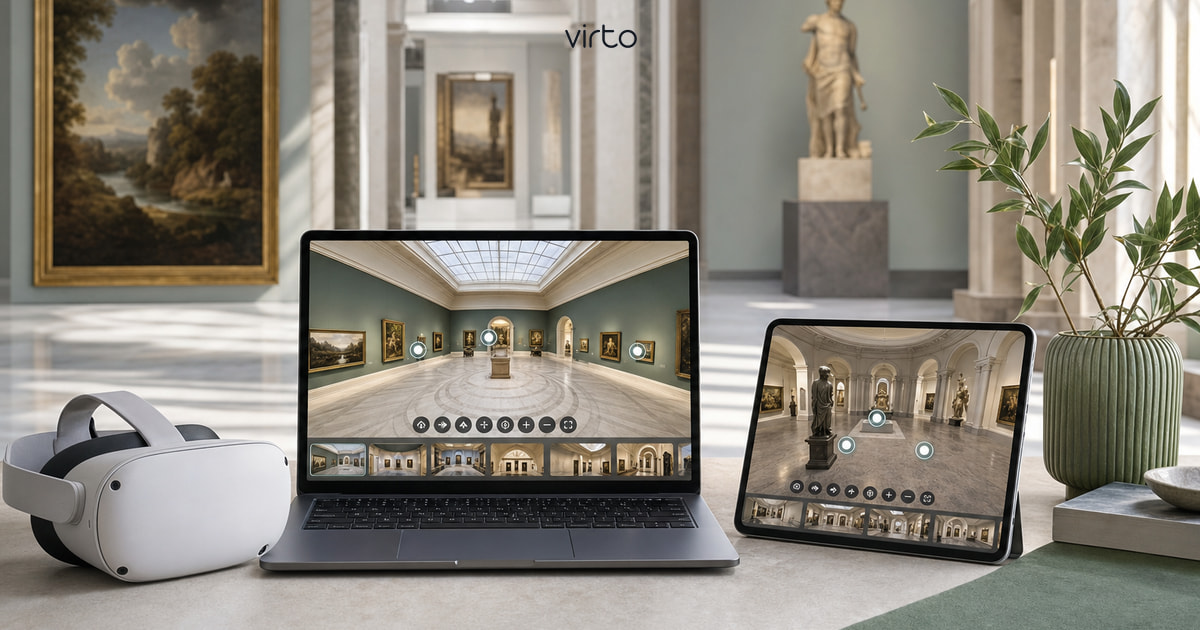
Museum directors and tourism boards reach out with the same sentence: "We need people to understand the scale before they book the trip." Still photos flatten vaulted ceilings. Video locks the pace. A 360° virtual tour lets someone stand in the nave, drag to the altar, step through a hotspot to the cloister — at midnight on their phone in another country.
You do not need a scanning crew or a six-figure AV budget. Small museums, city heritage trails, and regional attractions use Virto 360 with a Ricoh or Insta360, a quiet morning before opening, and an embed on the Visit page. This guide covers planning, shooting etiquette, and where the tour lives after publish.
What to show — think like a first-time visitor
Start from visitor questions at the desk, not from every object in collection storage:
- Entrance and ticketing — where do I orient myself?
- Signature gallery or exhibit — the reason people travel
- Accessibility paths — elevators, ramps, bench seating
- Stairs vs lift options between floors
- Cafe, garden, viewpoint — amenities that drive longer visits
- Gift shop or visitor center — optional, but helps event planners
One panorama per distinct space is enough for most galleries. You are not digitizing every artifact — you are selling spatial context. Close-up photos still belong on collection pages; the tour answers "what does it feel like to stand here?"
Shooting on site — permissions and etiquette
Shoot before public hours or during timed entry gaps. Tripod at ~1.5 m, lights per venue policy (some historic sites restrict flash; 360° cameras rarely use flash anyway). Confirm with curators if certain galleries restrict photography — respect roped-off conservation areas.
- Quiet hours: Tuesday morning beats Saturday peak
- Staff in frame: ask them to step behind camera during capture
- Glass cases and mirrors: expect yourself in reflection — use timer remote
- Outdoor ruins: weather matters — overcast can beat harsh shadow contrast
- HDR for stained glass and bright windows — same as real estate, same fix
Heritage sites with drone restrictions still allow ground-based 360° — you are not flying, you are standing. Check local rules for tripod use on protected stones; some sites require rubber feet or staff escort.
When you already have visual assets
Not every tour starts with a new shoot. Architecture firms working on museum extensions export equirectangular views from Enscape or Twinmotion. Marketing teams sometimes have panoramic stills from past campaigns. If resolution is sufficient (typically 4000×2000 px or higher) and rights are cleared, upload those JPGs the same way as field shots.
Mixing rendered future wings with current photography? Label scenes clearly — "Proposed atrium (2027)" vs "Main hall today" — so online visitors do not confuse planning visuals with what is on the ground.
Building the tour in Virto 360
Upload equirectangular JPGs, name scenes for humans ("Ground floor — Roman gallery", not PANO_003). Place hotspots at archways, stair landings, and courtyard gates — the wayfinding path a volunteer would describe. Always add return hotspots; dead ends frustrate accessibility users who need to back out.
Set the opening view to your hero space — the nave, the atrium, the vista — because that frame becomes the link preview on social and tourism newsletters. Optional: light filter pass for consistent warmth across rooms shot on different days.
Where museums and attractions publish tours
- Official website Visit / Plan your trip page — iframe embed above the fold
- Accessibility page — tour proves ramp routes and elevator locations
- Press and tourism partner kits — share link for DMOs and travel writers
- Printed brochures and rack cards — QR next to opening hours
- Ticket desk tablet or QR stand — "Preview before you enter"
- School group booking emails — teachers share link with chaperones
Embedding is copy-paste from Share → Embed. Light theme often matches institutional sites; dark theme suits contemporary art spaces. Full iframe, QR, and VR options are in our embed guide.
Tourism boards and multi-site trails
Regional tourism sometimes stitches multiple attractions into one campaign. Each site can keep its own Virto tour and URL — the DMO landing page links out to each. Alternatively, one combined tour with hotspots jumping between locations works for compact heritage quarters where walking distance is the story.
Seasonal events (Christmas market, summer festival) merit a short add-on scene or a refreshed exterior panorama — republish the same share link and brochures stay valid.
Accessibility and inclusion
A browser-based tour helps visitors who cannot climb stairs preview routes in advance. It also helps neurodiverse visitors reduce anxiety about unknown layouts. Pair the tour with written accessibility notes — step counts, door widths, quiet room locations — because 360° shows space but not decibel levels or scent.
VR mode on supported headsets is optional enrichment; most visitors stay on phone browsers. Gyro panning after one tap on iOS is enough for on-site QR scans.
Budget and staffing — honest numbers
- 360° camera: many institutions already own one for documentation
- Half-day shoot: small gallery or single attraction during quiet hours
- Full day: multi-wing museum with outdoor grounds
- Edit and publish: 1–2 hours first time; less once naming conventions exist
- Virto 360: free publish, share, embed, QR — paid tiers for analytics across multiple sites
Mistakes we see in cultural tours
- Too many similar gallery scenes — visitors lose orientation
- No opening view on the hero space — weak social previews
- Ignoring rights on artwork reproduction in marketing collateral (tour shows context; check photo policy)
- Forgetting outdoor connection — courtyard and facade sell day-trip decisions
- QR on print without mobile test — lighting and contrast matter on lamination
Start with one gallery
Pick the room that sells the visit. Shoot it Tuesday before opening, upload to virto360.com, embed on the homepage banner this week. Expand wing by wing as budget allows — the share URL can grow with new scenes without breaking existing QR codes if you republish the same tour ID.
Frequently asked questions
Can museums use virtual tours without photographing every artifact?
Yes. The tour shows spatial context — room scale, paths, amenities — not high-resolution collection photography. Object photography stays on catalog pages; 360° answers how it feels to move through the building.
Do visitors need an app?
No. Virto share links open in Safari, Chrome, or any mobile browser. QR codes at the ticket desk open the same URL instantly.
Can we embed a tour on a government or nonprofit website?
Yes. Copy the iframe from Share → Embed and paste into any CMS that accepts HTML embeds — WordPress, Drupal, static site generators, and tourism portal builders.
Is a virtual tour useful for small local museums?
Often yes — smaller venues compete for day-trip attention against major cities. A honest 360° preview of your signature exhibit helps travel bloggers and families decide the drive is worth it.