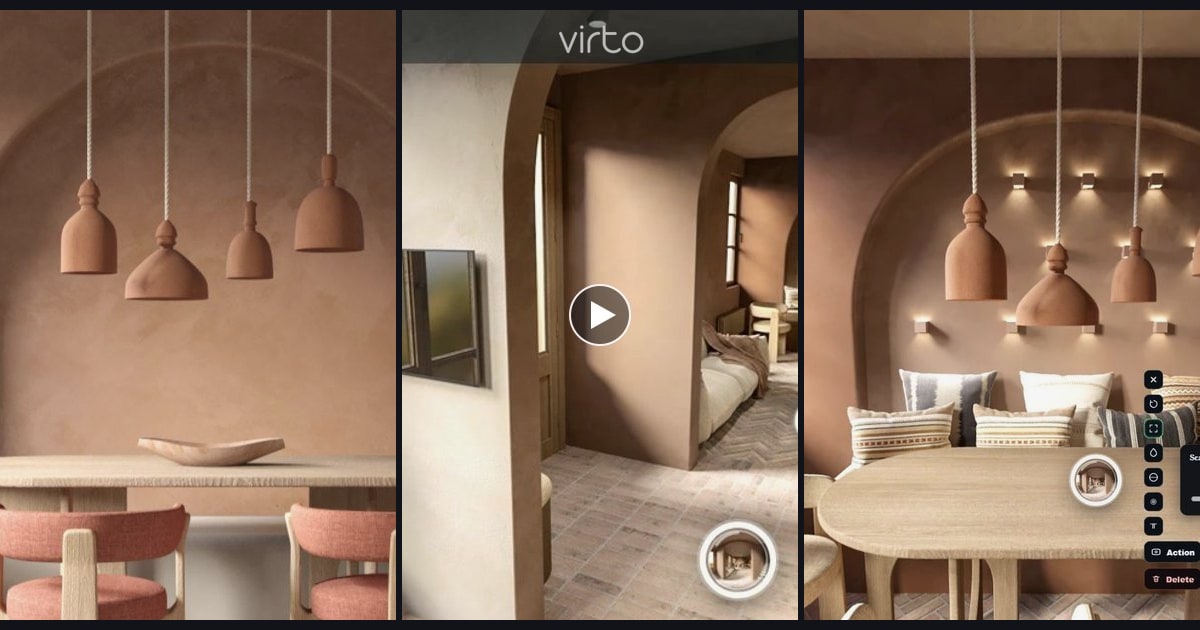
360° Virtual Tour vs. Photos vs. Video: What Should You Use for a Property Listing?
A tour is not a replacement for stills or a walkthrough film. Pick the format for the job — then use two of them if the listing has to work on a portal and on a phone.
Agents ask this after they already have a camera in the car. Not “how do I stitch a panorama.” The real question is: do I owe this house a walkthrough, or will a tight photo set and a ninety-second clip do the work?
Software pages usually pick a side. We will not. A 360° tour is bad at being a thumbnail. A still is bad at explaining how the kitchen sits behind the living room. Video is bad at letting a buyer look left when they want to look left. If you treat any one of them as the whole listing, you will feel the gap later — usually in the inbox, when someone asks for “more photos of the second bath.”
The short version
| Format | Best for | Buyer is asking | Strength | Trade-off |
|---|---|---|---|---|
| Photos | Fast scanning on portals | Is this worth a click? | Thumbnails, print, MLS galleries | No sense of how rooms connect |
| Video | Story and mood | How does it feel? | Light, sound, a guided path | The viewer cannot choose where to look |
| 360° tour | Layout and “can we live here?” | How do the rooms connect? | They walk it. You are not on the call. | Needs a decent capture and a first view that makes sense |
| 3D scan | Measured documentation | Will the sofa fit? | Floor plans, furniture fit, insurance | Heavier kit, slower, often overkill for a standard listing |
That last row is there so we are honest. Dollhouse / LiDAR products are excellent when a designer needs dimensions. They are a different job from “can I send Saturday’s open-house traffic a link.” Virto 360 is the third row: panoramas you already shot, linked, hosted, shared.
Photos — still the listing’s handshake
Portals rank and display stills. Buyers swipe. Brokers print. None of that goes away because you built a tour. A hero exterior, a living room that reads at 200 pixels, a kitchen that does not look like a cave — that set is what gets the click. Skip it and your walkthrough never opens.
Shoot stills like stills. Do not export a 2:1 panorama and crop the middle hoping it behaves like a magazine cover. If you already have a 360 camera on site, take a few framed pictures separately — or accept that a photographer day is still worth it on anything you care about.
Video — when you need a voice in the room
A clip is a tour with a director. That is the point. You choose the path, the pause at the terrace, the two seconds on the pantry. Buyers who will never book a showing still get a feeling. Out-of-town clients watch it once on the train.
The limit is the same every time: they cannot turn around. If the interesting wall is behind the operator, it is gone. That is why video is a complement, not a substitute, when the floor plan is the question.
A 360° tour — when the layout is the product
Use a walkthrough when people need to answer “how does this live?” Split-levels, odd additions, a kitchen that photographs smaller than it is, a rental where guests will argue about which bedroom faces the street. They move at their own pace. You are not narrating.
It is not free of work. Camera height, the first view, doorways that actually lead somewhere — that is how a tour starts looking professional, not another plugin. If you have not shot the rooms yet, the 360 photography checklist is the boring half of quality.
3D scans — when you need a tape measure
If a designer is placing a sofa, an insurer wants a model, or you are documenting a renovation, a scan with spatial data is the right tool. It is also slower and usually more expensive per door. Do not buy that workflow because a portal showed a dollhouse on a luxury listing down the street. Most family homes do not need a measured twin. They need to be understood.
When should you use a virtual tour?
Skip it when two stills already tell the truth — a studio that photographs honestly, land-only, a room you cannot clean. Use one when the plan is the product:
- A large or complex property — extra floors, additions, rooms that hide behind rooms.
- A vacation rental, where guests argue about which bed faces the street.
- Remote buyers who will not fly in for the first look.
- An unusual layout that photographs smaller — or larger — than it lives.
- Any listing where “how does this connect?” is the question, not “is the sofa grey?”
Virtual tours vs photos vs video for real estate listings
On a real estate listing the three formats are not competitors. The portal still wants stills. The tour answers the floor-plan email. Video is optional when the light or the view is why someone drives over. That is the mix we would actually book:
- Starter listing, tight budget: a clean photo set. Add a tour only if the plan is confusing on paper.
- Normal resale: photos + a 360° walkthrough. Video if the light or the view is the reason someone drives over.
- Vacation rental: photos for the platforms, tour for “which bed, which view,” a short clip for Instagram.
- Unbuilt or heavy renovation: renders or site panoramas in a tour, plus stills for the deck. Video of a muddy lot rarely helps.
Notice what is missing: “always tour, skip photos.” That is how you lose the first swipe. The other missing line is “tour instead of an open house.” A good walkthrough cuts wasted showings. It does not replace the people who need to smell the place.
If you already decided you want the tour
Build it in the browser, publish one URL, then put that URL where buyers already are. Create the tour, paste it on MLS / Zillow, embed it under the photo gallery so the stills and the walkthrough sit on the same page. Real-estate workflow and plan limits: virtual tour software for real estate.
If the tour is the weak piece — opening view into a wall, leftover tripod, rooms in the wrong order — fix that before you spend another day on video color. The stills can stay. The walkthrough has to earn the extra tap.
Ready to build your own 360° virtual tour?
Upload your 360° photos, connect the rooms, and publish a walkthrough next to the listing stills — free, no watermark. Photos still do the first click. The tour does the layout.
Frequently asked questions
Should I replace listing photos with a virtual tour?
No. Portals and print still run on stills. The tour is for people who already stopped on the listing and need the layout. Keep both.
Is a walkthrough video the same as a 360° tour?
No. Video is a guided story. A 360° tour lets the viewer choose where to look and which doorway to take. Use video for mood, the tour for plan.
When can I skip the tour?
Tiny studios that photograph honestly, land-only listings, and anything where you cannot shoot clean interiors. If two stills already explain the whole floor, a tour is optional.
Do I need a 3D scan for a normal house?
Usually not. Scans win when someone needs measurements. For “can we live here,” linked 360° rooms are enough — and cheaper to update when you restage.