How to Make a 360° Virtual Tour Look Professional: 15 Mistakes That Ruin the Experience
The walkthrough can be sharp and still feel cheap. These are the capture and edit habits that make people close the tab — and how to fix them before you hit publish.
We see the same tour every month. The files are huge. The rooms are pretty. Then you open the link and you are staring at a ceiling fan, the kitchen is three dead-end clicks away, and the first thing on the floor is a tripod. Nobody writes a complaint. They just leave.
This is not a gear review. If you still need a shot list and export settings, start with how to shoot 360 photos for real estate. If you have not built a tour yet, create one in the browser and come back. What follows is the stuff that separates a walkthrough people trust from one that looks like homework.
15 common 360 virtual tour mistakes
These are the ones that keep showing up. Not gear reviews. Not “buy a better camera.” Just the habits that make a professional 360 virtual tour fall apart after upload.
1. The camera sits too high — or too low
A professional virtual tour should feel like walking in, not floating or crouching. Too high and counters vanish, beds look like tabletops, and doorways shrink. Too low and you live in furniture legs. Mark the tripod once around chest / eye height — about 1.5 m — and do not renegotiate it room by room.
Kids' rooms and low furniture tempt you to drop the camera. Don't. Keep the same height so the jump between scenes does not feel like a cut in a badly edited film.
2. You stood in the wrong place
Center of the rug is not always center of the room. Stand where a person would pause: far enough from walls that you see two exits, close enough to the main furniture that the space reads. Corners invent distortion. Right against a window blows half the sphere.
If a room has a clear axis — kitchen island to dining table, bed to window — put the camera on that line. You are documenting how the place works, not collecting a pretty still.
3. The opening view looks at nothing
The first frame is the listing photo of the tour. If it opens on the nadir, a coat rack, or a closed door, people assume the rest is sloppy. In the editor, drag the look to the best sightline of that first room — usually toward the livable volume, not the seam on the floor.
Then reopen the share link on your phone. If you would not send that first second to a client, it is not ready. This takes thirty seconds in Virto 360 and fixes more “the tour feels cheap” comments than another AI pass.
4. Too many scenes
Twelve angles of the same hallway do not make a professional 360 virtual tour. They make a maze. Each extra panorama is another hotspot to place, another file to host, another chance to get lost. If two shots show the same rectangle of floor, delete one.
5. Too few scenes
The opposite mistake is a living room and a bedroom with a mysterious door. Buyers ask about the second bath, the closet, the yard. A typical three-bedroom home may need around 8–12 viewpoints, depending on its layout — entry, main rooms, each bed and bath, outdoor if it sells the listing. Hallways only when the plan is confusing without them.
6. Doors do not lead where they should
If the kitchen doorway drops you into a bedroom, people lose trust in the floor plan. Walk the tour the way a guest would: front door → living → kitchen → hall → rooms. Every opening that matters gets a hotspot. Dead doors (you see them, you cannot go through) feel like a broken app.
7. Hotspots sit in mid-air
Pins on the ceiling, stacked on top of each other, or hovering in the middle of a wall look like leftover clicks. Put navigation on the threshold. If you add an info pin, put it on the object it describes. Two pins in the same spot is not “emphasis” — it is a miss. We wrote the linking part in the create a tour guide; the rule here is simpler: if you would not step there, do not put the pin there.
8. The tripod is still in the floor
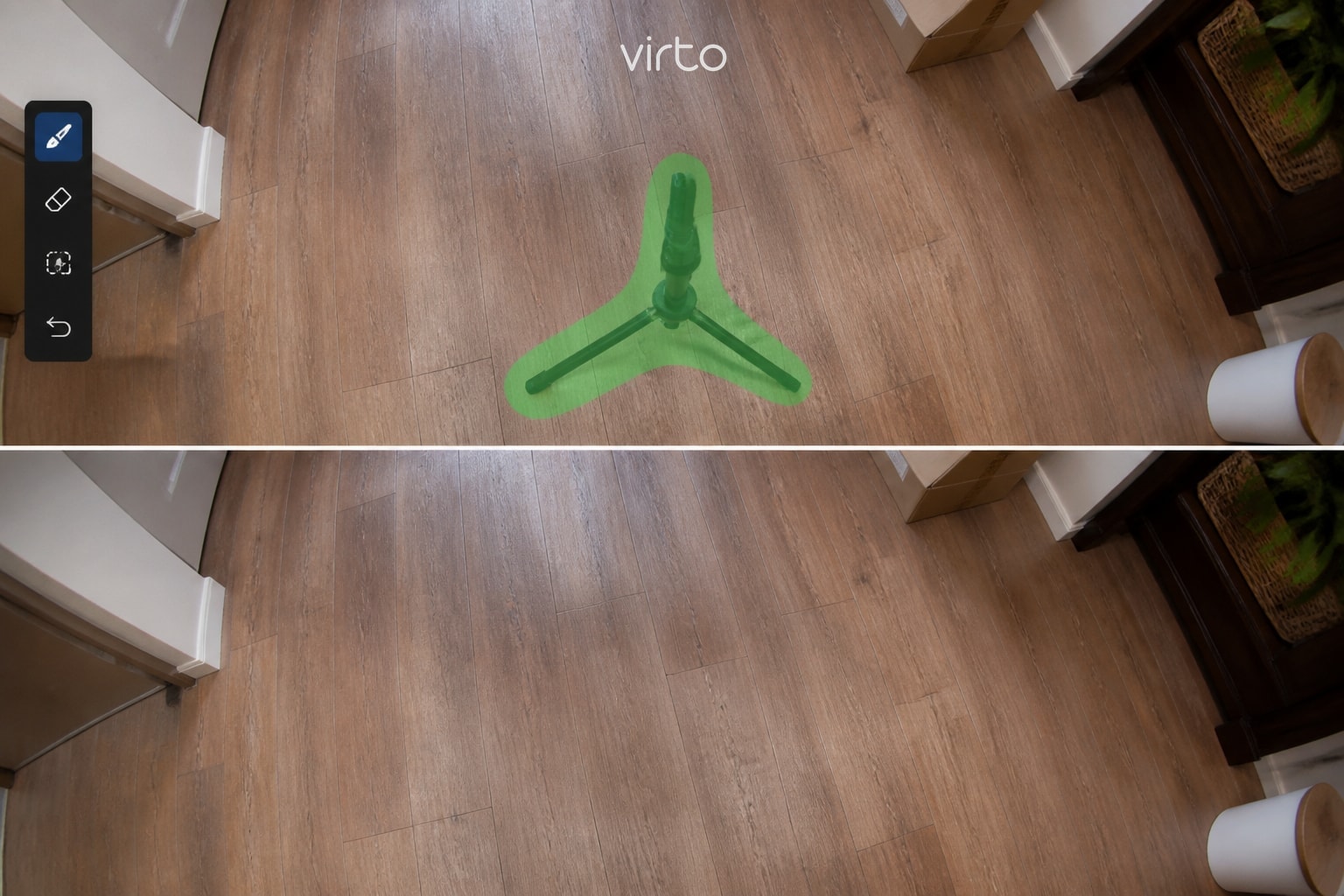
Everyone knows the nadir problem. Not everyone fixes it. A black three-leg star in the middle of oak flooring is the fastest way to say amateur. Shoot with a remote so you are not in the frame, then patch the feet. On Virto that is the Remove tool — brush the legs, keep the stroke small, check the floor grain after.
9. Cables, shoes, and yesterday's mail
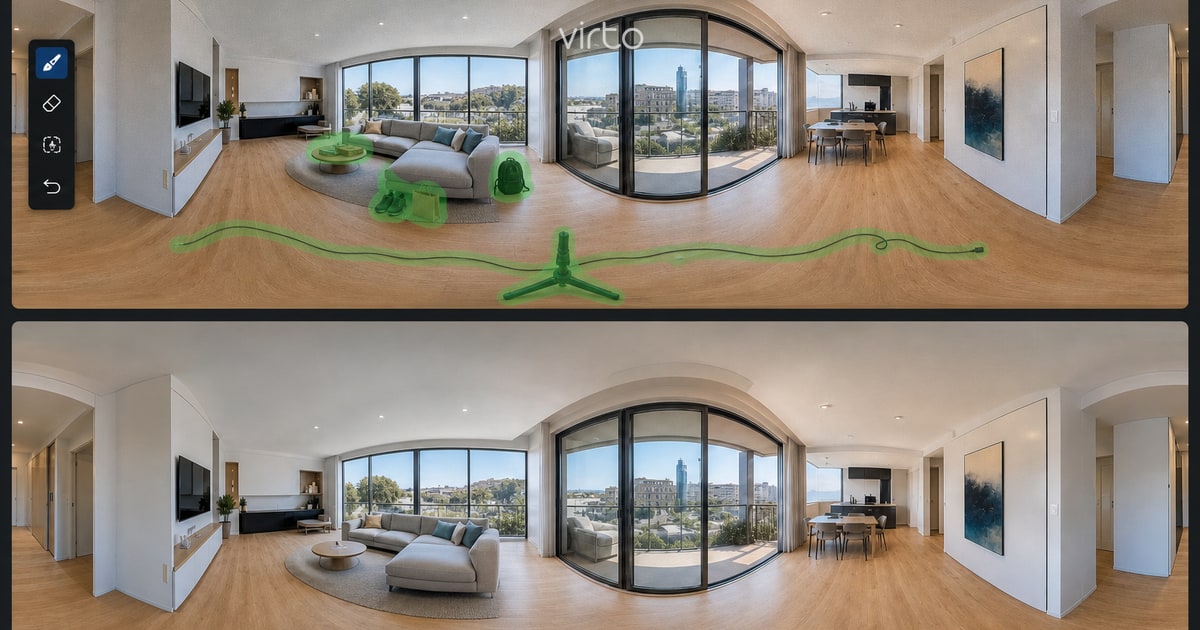
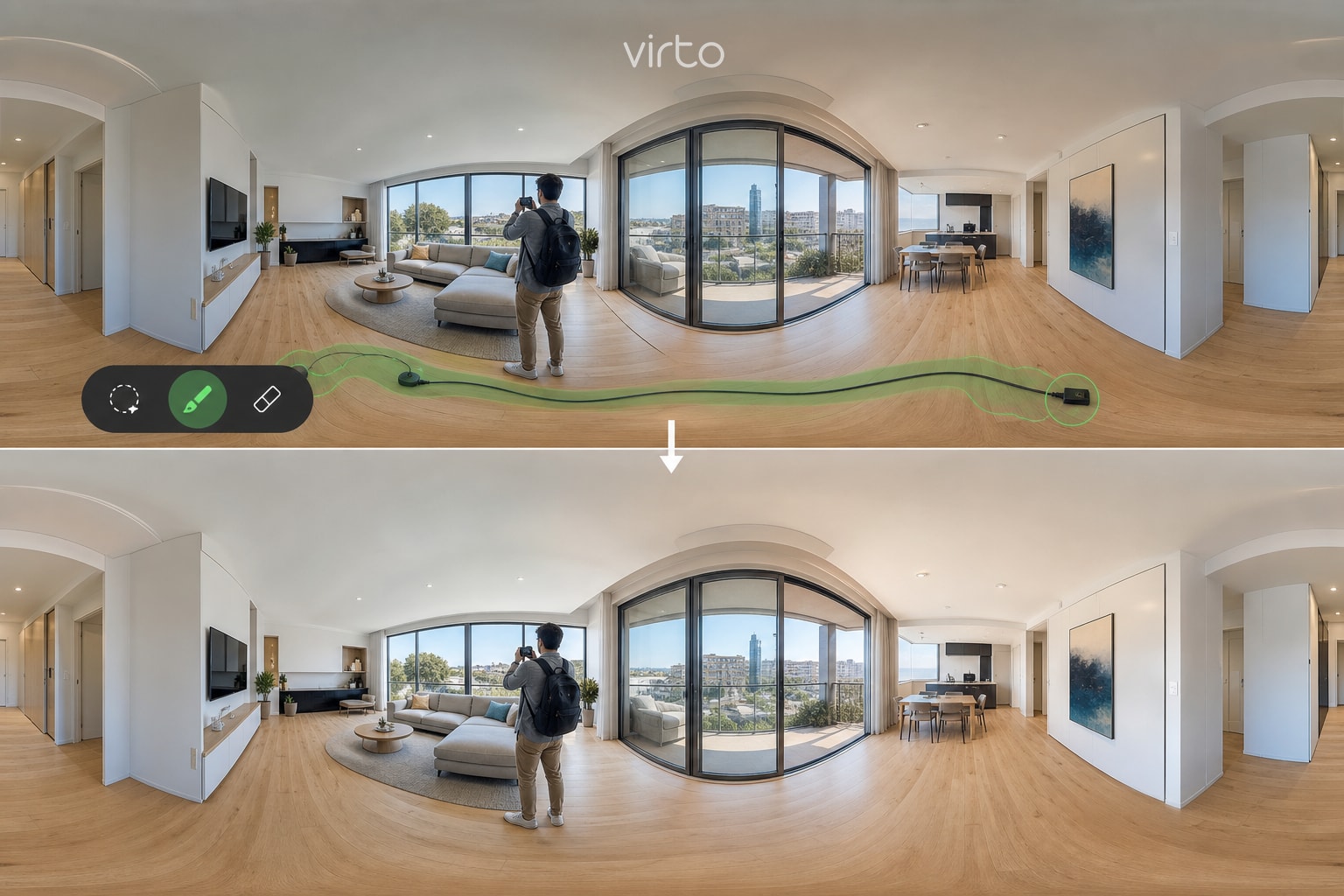
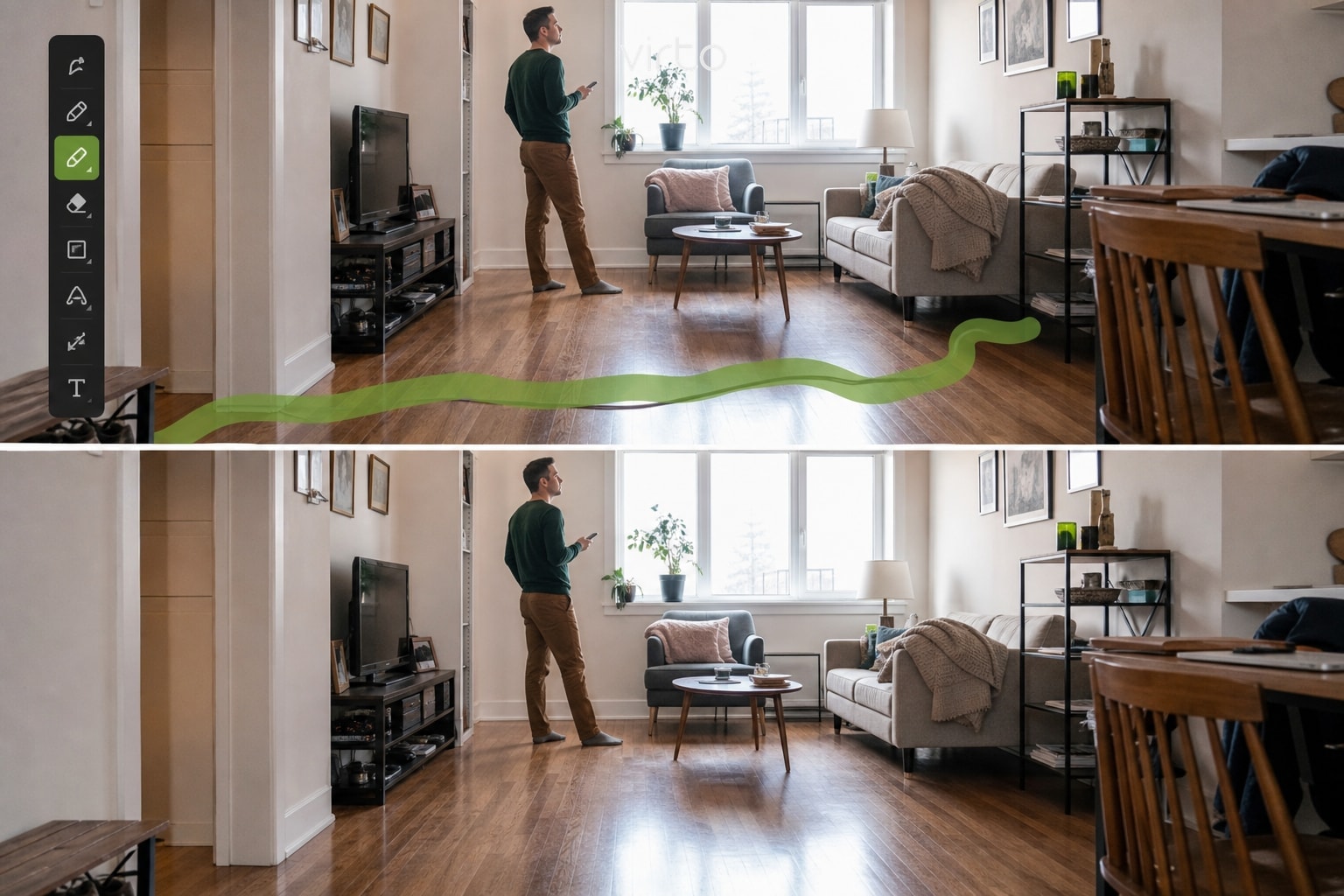
360° is cruel because viewers see the whole room. A charger on the sofa is not “lived in.” It is the first thing they look at. Stage like a stills shoot: lights on, bins out, beds made. What you miss, object removal can often hide — towels, a bag, a plant you cannot move. Do not rebuild a kitchen with AI. That is when it starts looking fake.
10. Windows gone white
Blown windows are the other classic 360 photography mistake. HDR bracketing on the camera helps. Even exposure and open blinds the same amount in every room help more. If the glass is a white hole, generative fill can patch a small area — use it for minor presentation cleanup, not to change what the property actually looks like. Short prompt. One good take. Stop.
11. Each room has a different exposure
Jump from a dim hallway into a nuclear-bright kitchen and the tour feels like two properties glued together. Match white balance. Turn on the same kinds of lights. If one scene is still off, use filters or a light Enhance pass — then compare two rooms side by side, not each file in isolation.
12. The room order is a scavenger hunt
Strip order is the story. Entry first. Then the rooms a buyer would ask to see. Baths after the bedrooms they belong to. Outdoor at the end or right after the room that opens onto it. Reorder in the editor until the thumbnails read like a walk, not like the order you unpacked the SD card.
13. It looks fine as a still — and wrong when you spin
A 2:1 export can look great on a laptop and still have a stretched doorway, a dirty stitch, or a table that warps when you look down. Always preview in the sphere. If something only works as a flat picture, reshoot that viewpoint. This is why “I already have photos” is not the same as “I have a tour.” We unpack that choice in virtual tour vs photos vs video.
14. You never opened it on a phone
Most people will. Fat pins, tiny text, an opening view that needs a drag before anything makes sense — that is desktop thinking. After publish, open the share link on your own phone, with one thumb. Gyro should feel calm, not seasick. If a hotspot is unmissable on a 27-inch monitor and invisible on a 6-inch screen, move it.
15. You built the tour and hid the link
This is the quiet one. The walkthrough is fine. It lives in an email draft. Listings, hotel pages, and open-house signs still show six stills. A professional virtual tour that nobody can open is a folder. Put the URL in the listing remarks, embed it on the property page, print a QR for the yard. Agents: the MLS / Zillow steps are here.
How to fix a bad 360° virtual tour
You do not need to reshoot the building. Fix height and opening view first — they are free. Then walk every doorway. Then clean the floor and the worst clutter. Then send the link to someone who did not shoot it and watch where they get stuck. That last test is worth more than another filter.
Virto 360 is built for that loop: upload, pin, clean, publish, same share URL. Plan facts (no watermark, embed, QR) sit on the free 360 virtual tour software page. If you work listings every week, the industry page is virtual tour software for real estate.
Ready to build your own 360° virtual tour?
Upload your 360° photos, connect the rooms, clean up the tripod and the leftover clutter, and publish the tour — free, no watermark. That is the whole loop.
Frequently asked questions
What makes a virtual tour look professional?
Consistent camera height, a first scene that matches how you enter the property, doorways that go to the right rooms, a clean floor, and a link that is actually on the listing. Resolution helps. Navigation and the opening view matter more.
How many 360° scenes should I shoot?
Enough to explain the plan, not enough to invent a maze. A typical three-bedroom home may need around 8–12 viewpoints, depending on layout. If two panoramas show the same space, keep the one with better doorways.
Can I fix a messy tour without going back on site?
Often yes: opening view, hotspot placement, room order, tripod removal, and small clutter. You cannot invent a missing bathroom. If a room was never shot, you still need that file.
Where should I put the tour once it looks right?
Wherever the buyer already is — listing remarks, your site embed, a QR on the sign. Building it and leaving it in the editor is the last mistake on this list.